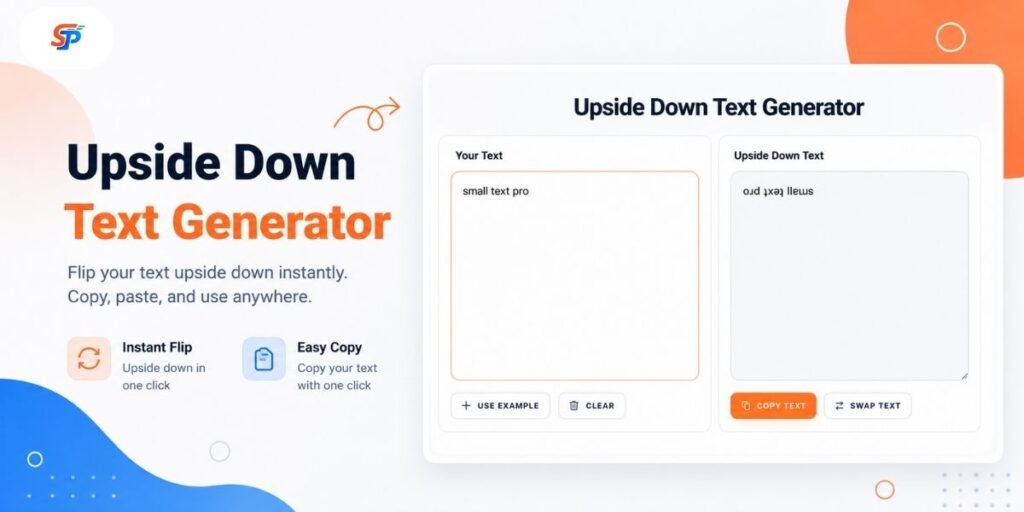
Upside Down Text Generator: Flip Text (Copy and ǝʇsɐd)
Type or paste your text into the box below to see a flipped, upside-down version using special Unicode characters.
How to Use the Upside Down Text Generator
Our tool is very easy to use. Just follow these simple steps:
- Type or paste your text into the input box.
- The flipped version appears in the output box.
- If more than one effect is offered, choose the one you want.
- Copy the result, then paste it into wherever you plan to use it.
That’s the whole process. There’s nothing to install and nothing to configure.
What Is an Upside Down Text Generator?
An upside-down text generator swaps your normal letters for Unicode characters that look flipped or rotated. It’s not a downloadable font, and it’s not a rotated image of your text. It’s still plain text — you can select it, copy it, and paste it anywhere that accepts text input.
People often search for an “upside down font generator,” and that phrase is close enough to be useful. But it helps to know the real difference. According to the Unicode Consortium, Unicode defines characters and their code points — the underlying identity of a symbol — while a font supplies the visual shape, or glyph, used to draw that character on a screen. An upside-down text generator picks existing Unicode characters that already look flipped in most common fonts, then swaps them in for your original letters. Nothing about your device’s installed fonts changes.
How Does Upside Down Unicode Text Work?
Here’s what makes the effect happen:
- The tool reads the text you typed.
- For each character, it checks a character map for a Unicode match that looks like a flipped version of the character.
- It swaps supported characters with their matches.
- When the effect calls for it, it reverses the character order.
- The result is still ordinary text — selectable, copyable, and pasteable, just like anything else you’d type.
A few examples: a → ɐ, b → q, e → ǝ, t → ʇ, and w → ʍ.
It helps to know that Unicode doesn’t include one single, official “upside-down alphabet” block. As the Unicode Consortium explains in its character properties FAQ, Unicode characters were built to represent the world’s writing systems, not to create decorative effects. Tools like this one borrow individual characters from several Unicode blocks—characters that simply happen to look rotated—and combine them into a working map. That’s a creative reuse of existing characters, not a built-in Unicode feature.
Upside Down vs. Backwards vs. Mirror Text
People use these words as if they mean the same thing, but they describe three different effects.
Treat these as three separate effects, not three names for the same thing. If you want a rotated look, “upside down” is what you’re after. If you just want simple reordering, “backward” is the plainer choice.
| Effect | What It Does | Example | Best Use | Limitation |
|---|---|---|---|---|
| Upside Down | Swaps each letter for a Unicode look-alike that appears rotated 180°, then reverses the letter order | hello → ollǝɥ | Novelty captions, puzzles, decorative bios | Not every character has a rotated match |
| Backwards | Reverses the letter order; the letters themselves stay upright | hello → olleh | Simple word puzzles, easy decoding | Reads as a jumbled word, not a visual flip |
| Mirror | Swaps letters for look-alikes meant to resemble a left-right reflection | Varies by word and character | Visual novelty, short words | Rarely an exact reflection — it depends on which look-alike characters exist |
Where Can You Copy and Paste Upside Down Text?
Flipped text is plain Unicode, so you can often use it anywhere that accepts standard text input. But “often” isn’t “everywhere” — different fields on the same app can behave differently. Likely destinations include:
- Instagram bios, display names, captions, and comments
- TikTok bios and captions
- Discord display names, server nicknames, and messages
- WhatsApp chats and statuses
- Facebook posts and comments
- X posts, replies, and bios
- Gaming or community platforms that accept custom characters
One distinction matters a lot here: account usernames and handles often have tighter character rules than bios, captions, display names, or message content. A platform might display flipped text fine in your bio while blocking the same characters in your handle. The only sure way to know is to test the exact text in the exact field you plan to use—a bio and a username aren’t the same test, even on the same app.
Want something more compact for a profile name instead? The small text generator offers a different Unicode effect worth comparing.
Practical Ways to Use Flipped Text
- A brief flipped line in a group conversation, just for the “wait, what?” moment.
- A puzzle or riddle answer that takes a second to decode, adding a small bit of friction on purpose.
- A decorative line in an Instagram bio, while keeping contact details and links in plain, easily readable text. The Instagram Fonts Generator is worth a look if you want more style options for that bio.
- A Discord display name — just remember the account username follows separate, usually stricter rules.
- A short label in a creative mockup or design project, where the novelty effect fits the tone.
If flipped text is a little too fun for what you’re after, but you want to jazz up ordinary text, the Cursive Text Generator is a solid halfway ground that’s easier to read.
It’s a stylistic choice of flipped text, not a growth hack. It won’t affect your followers, engagement, or the way any platform’s algorithm serves your material.
Limitations, Accessibility, and Safe Use
Here are some honest facts worth knowing before you trust flipped text:
- Not every character has an exact rotated counterpart; some look the same.
- The appearance of flipped text is determined by the character map and the typeface of the device on which it is viewed. The same string may look a little different on different devices.
- Symbols without a matching Unicode character may show up as a blank box or a fallback shape. This usually happens because the receiving app’s font simply doesn’t include a glyph, or visual shape, for that character—not because anything is broken.
- Mixed case, accented letters, emoji, and combining marks are harder to flip cleanly, since a good rotated match may not exist for all of them.
- According to W3C accessibility guidance, text should remain understandable to assistive technology. Screen readers typically announce the actual Unicode character being used, not the word you meant — so flipped text can sound like nonsense, or announce the wrong letters, when read aloud.
- Keep essential content — instructions, links, contact details, passwords, hashtags, and anything someone truly needs to read — in ordinary text.
- Flipped text is not encryption or a secret code. Anyone can read it at a glance, and it’s easy to reverse with the same kind of tool.
Upside Down Letters, Numbers, and Symbols
Coverage varies by character. Some letters, like o and x, are already symmetrical, so they look the same whether they’re flipped or not. Others simply don’t have a good rotated match in Unicode.
| Normal | Flipped | Note |
|---|---|---|
| a | ɐ | Common, widely supported |
| b | q | Common, widely supported |
| e | ǝ | Common, widely supported |
| t | ʇ | Common, widely supported |
| w | ʍ | Common, widely supported |
| o | o | Symmetrical — looks the same either way |
| x | x | Symmetrical — looks the same either way |
This is a starting reference, not a full alphabet chart. Coverage for capital letters, numbers, and punctuation is less consistent, since fewer good rotated matches exist for those characters. If a specific letter or symbol doesn’t flip the way you expect, that’s usually the reason: no suitable look-alike exists for it in Unicode.
Upside Down Letters, Numbers, and Symbols
Coverage varies by character. Some letters, like o and x, are already symmetrical, so they look the same whether they’re flipped or not. Others simply don’t have a good rotated match in Unicode.
| Normal | Flipped | Note |
|---|---|---|
| a | ɐ | Common, widely supported |
| b | q | Common, widely supported |
| e | ǝ | Common, widely supported |
| t | ʇ | Common, widely supported |
| w | ʍ | Common, widely supported |
| o | o | Symmetrical — looks the same either way |
| x | x | Symmetrical — looks the same either way |
This is a starting reference, not a full alphabet chart. Coverage for capital letters, numbers, and punctuation is less consistent, since fewer good rotated matches exist for those characters. If a specific letter or symbol doesn’t flip the way you expect, that’s usually the reason: no suitable look-alike exists for it in Unicode.
Why Does My Upside Down Text Look Wrong?
Seeing boxes or blank squares?That typically merely means the program you’re using can’t display that character – its font doesn’t have a symbol for it.Nothing’s actually broken. Try shortening your phrase, or switch to lowercase letters, since they tend to work more reliably.
Field rejected the text entirely? You’ve probably run into a username or handle field. Those are usually stricter than a bio or caption box. Before you assume the tool isn’t working, try pasting the same text somewhere else, like a caption or a message, and see if it goes through there instead.
Capitalization looks uneven? Uppercase letters have less consistent coverage for this effect than lowercase. Switching a word to lowercase often gives a cleaner result.
Punctuation behaving oddly? Not every punctuation mark has a rotated match, so some may stay upright while the letters around them flip.
Accented letters or emoji not transforming? These are harder to map reliably. If it matters, test the specific character on its own before using it in a longer message.
Output changed after pasting? Some apps auto-correct or strip certain characters. Paste into a plain-text field first to check exactly what you’re sending.
Conclusion
Flipped text is a small, fun way to add personality to a caption, bio, or message — nothing more. Type a short phrase into the generator above, copy the result, and try it in the exact field you plan to use it in before you commit to it anywhere important.
Frequently Asked Questions
How do I type upside down text on an iPhone?
There's no built-in iOS keyboard for this. The practical approach is to generate the flipped text in a tool like this one, then copy and paste it into your messages, notes, or app of choice.
How do I make upside down text on Android?
Same idea as iPhone — Android doesn't include a native upside-down keyboard layout. Generate the text here, then copy and paste it where you need it.
Can I copy and paste upside down text?
Yes. That's the whole point — the output is regular text, so you can copy it from the generator and paste it anywhere that accepts standard characters.
Does upside down text work on Instagram and TikTok?
It generally works in bios, captions, and comments, since these fields accept a wide range of Unicode. Username and handle fields tend to be stricter, so test those separately before assuming they'll behave the same way.
Why do some flipped letters look different from place to place?
Different generators draw from slightly different Unicode character maps, and rendering also depends on the viewer's font.