Free Big Text Generator Online, Copy and Paste
SmallTextPro's Big Text Generator converts normal text into large text styles, wide Unicode text and decorative characters. No download and no account required to create. Type your text, watch the preview update instantly, and copy the result with one click.
What Is a Big Text Generator?
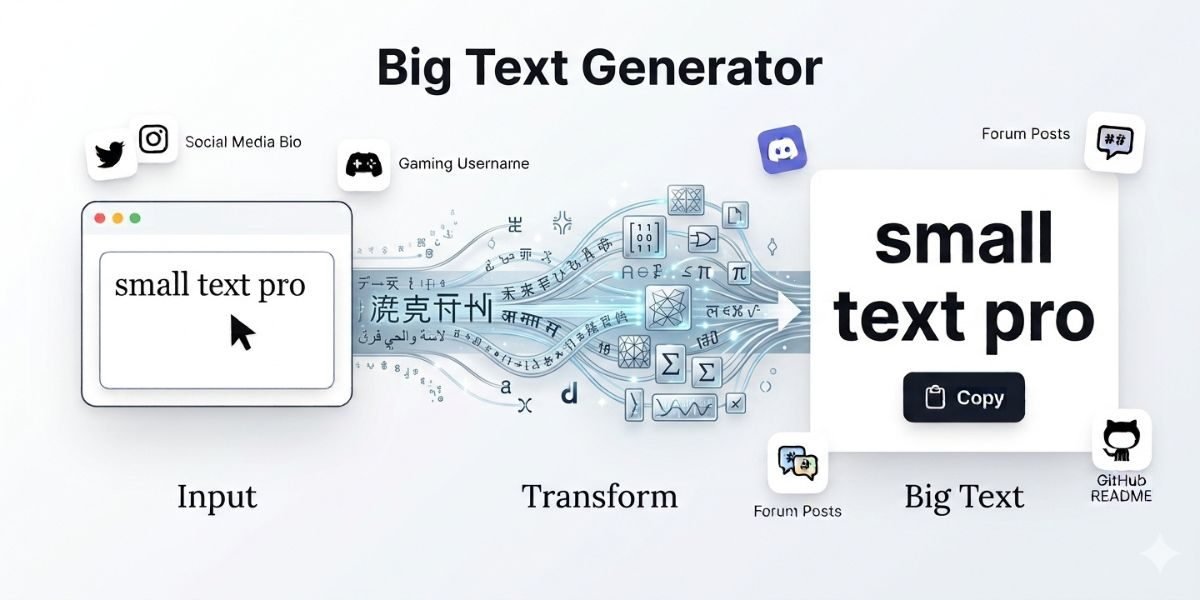
Type something in the placeholder of a big text generator, and it doesn’t just make your words look bigger on screen. It swaps each letter for a different character or builds the letter shape with symbols, so the result is still plain text. That’s the part people miss. There’s no font-size trick behind it, which is why you can copy the result and drop it into a bio or chat box without breaking. The output is plain text, so you can copy and paste it like any other string.
People use big text generators to make a name, title, or short phrase stand out where normal formatting options aren’t available. This is useful for social media bios, gaming usernames, Discord channels, forum posts, and README files on GitHub.
How Does a Big Text Generator Work?
Most big text tools use two separate techniques, and they work differently.
Standard Latin letters have matching characters in the Unicode Fullwidth Forms block. This block was originally created for East Asian typesetting, where letters need consistent visual width next to other characters. When a tool maps normal text to these characters, the result looks wider and larger in most fonts.
This method keeps the output copyable. The result is still standard Unicode text, not an image and not a real font file, so it moves through text fields, bios and chat boxes the same way ordinary text does. No font needs to be installed on the other end, since nearly every modern device already supports Unicode.
Big Text Styles Available
- Fullwidth Text – the easiest all-purpose option. It converts letters into their wider Unicode form and works almost everywhere without display issues.
- Bubble Text – wraps each letter in a little circle. Use it when you want one word to pop rather than a whole sentence.
- Enclosed Characters – does something similar but with square or boxed symbols. Use these in usernames or when you want a word to stand out mid-sentence.
- Fancy Unicode Styles – a few extra decorative character sets that pair nicely with big text if you’re putting together a bio or caption and want it to feel a bit more designed.
| Style | Appearance | Best For | Compatibility |
|---|---|---|---|
| Fullwidth Text | Wide Letters | Instagram, TikTok, X | ● Very high |
| ASCII Block Text | Symbol built letters | Discord, forums, README files | ● Depends on monospace font |
| Bubble Text | Ⓒⓘⓡⓒⓛⓔⓓ letters | Gaming names, short highlights | ● High |
| Enclosed Characters | Boxed letters | Usernames, profile tags | ● High |
Why Use SmallTextPro Big Text Generator?
The tool is designed around speed and simplicity rather than a crowded interface.It works the way a text conversion tool should, which is enough for a quick, big-text style for a bio or username.
- Live preview shows the result as you type, so you can move from input to output without a separate generation step.
- Multiple styles are available in one place, so you can compare options without switching tools.
- Text copies with a single click in plain Unicode format, making it easy to use anywhere.
- No account or login is required, so you can start right away.
- Conversion happens in your browser, so you avoid submitting personal information just to generate text.
- The tool is free to use and loads quickly on both desktop and mobile, so it is easy to access wherever you are.
How To Create Big Text Online
- Open the Big Text Generator on SmallTextPro.com.
- Type or paste your text into the input box.
- Choose a style from the available options.
- Review the live preview as it updates.
- Click copy next to the style you want.
- Paste the text into your bio, caption, username or message.
No waiting period between steps. The conversion happens as you type, so you can compare styles before deciding which one to use.
Big Text Generator Uses
Social media. A short line of big text in an Instagram bio or TikTok caption breaks up the default font and highlights a key phrase. YouTube titles and Facebook posts benefit the same way when a word needs to stand out in a feed of normal text.
Gaming. Discord servers use ASCII banners and full-width text to separate channels and highlight announcements. Steam profile names, Twitch chat messages and Roblox usernames often use full-width or bubble text since these platforms accept standard Unicode input even when they restrict custom fonts.
Professional use. Developers sometimes add a block-style project name at the top of a README file instead of using an image. Terminal notes and code comments occasionally use similar block text to flag sections during debugging or documentation.
Big Text Generator vs Font Size Increase
| Font Size Increase (CSS / Word) | Unicode Generated Big Text | |
|---|---|---|
| What it changes | How text displays inside a document or webpage you control | The underlying characters themselves |
| Type | A formatting instruction, not a change to the underlying characters | The size comes from the character itself, not a style applied on top of it |
| Where it works | Only where that formatting is allowed | Anywhere the text is pasted |
| Social platforms | Most social platforms strip or ignore formatting instructions in bios, captions and usernames, so a font size rule has nowhere to attach itself once text is pasted into an Instagram bio or a Discord message | Platforms that block custom formatting still display big text correctly |
Frequently Asked Questions
How can I make big text online?
Type your text into a big text generator, choose a style, and copy the result.
Is Big Text Generator free?
Yes. SmallTextPro's Big Text Generator is free to use, with no account, subscription or hidden limit tied to payment.
Can I copy and paste generated text?
Yes. The output is standard Unicode text, so it copies and pastes the same way normal text does, into bios, messages, captions and most text fields.
Can I use big text for gaming usernames?
In most cases yes, since the output is standard Unicode rather than a hack or exploit. Some platforms restrict usernames to a limited character set, so it is worth testing a name before committing to it if a game has strict formatting rules.
Do I need to download fonts?
No. Unicode based big text uses characters that are already built into virtually every modern device and browser. There is nothing to install.