
Instagram Font Generator: Stylish Fonts for Your Bio, Captions and Stories
Instagram doesn't let you change your font. There's no font menu for your bio, your captions, or your name—it's all one plain typeface, no matter what account you're looking at.
Instagram Fonts Generator
What Is an Instagram Font Generator?
An Instagram font generator is a free tool that turns plain text into stylized text you can paste into Instagram. Instagram doesn’t let you upload real fonts anywhere on the app. So what these tools actually do is swap your letters for special characters that look like different fonts but are really just Unicode symbols—characters that already exist in the Unicode standard used by phones and computers everywhere, which is why they work almost anywhere you can paste text, including Instagram.
Here’s an example. Type “Creative Studio” into the generator, and you’ll get results like
𝘊𝘳𝘦𝘢𝘵𝘪𝘷𝘦 𝘚𝘵𝘶𝘥𝘪𝘰 𝗖𝗿𝗲𝗮𝘁𝗶𝘷𝗲 𝗦𝘁𝘂𝗱𝗶𝗼 𝒞𝓇𝑒𝒶𝓉𝒾𝓋𝑒 𝒮𝓉𝓊𝒹𝒾𝑜
Each one is ready to paste into your bio, a caption, a comment, or your display name.
It helps to understand what’s actually happening behind the scenes, because it clears up a lot of confusion people have. A real font—like Helvetica or Times New Roman—is a design file installed on a device. An app has to support that font for it to display. Instagram doesn’t support custom font files, so no generator can install one for you, and any tool claiming to “add a real font to your bio” isn’t being accurate. Unicode text instead borrows characters built into the standard for other purposes—mathematical notation, for example—that happen to look like bold, italic, or script letters. Because they’re just text characters, not font files, they travel with your text wherever it’s copied and pasted, including into Instagram.
Why Use Various Fonts on Instagram?
Instagram is a visual app, and small details shape how people see your profile in the first couple of seconds. A different font style can make important words stand out and give your profile a more finished look.
A stronger bio. Your bio is usually the first thing people read. Making your name or tagline bold or stylish helps it stand out from the plain text most accounts use. Take a fitness coach whose bio reads “Fitness Coach | Personal Trainer.” Styled as “𝗙𝗶𝘁𝗻𝗲𝘀𝘀 𝗖𝗼𝗮𝗰𝗵 | 𝗣𝗲𝗿𝘀𝗼𝗻𝗮𝗹 𝗧𝗿𝗮𝗶𝗻𝗲𝗿,” the job title serves as the visual anchor rather than blending into the line below it. That’s the value of biostyling—it creates hierarchy, so the eye knows what to read first.
Captions people actually notice. People scroll fast. A styled opening line can catch the eye before the rest of the caption blends into the feed.
A more consistent brand. Creators and businesses often use fonts to match their overall look—their photos, their colors, their vibe. A small online store might use a single bold style for every “New Arrival” announcement, so followers learn to recognize that style and instantly know what kind of post they’re looking at, even before reading the words.
One thing worth being upfront about: styled fonts won’t get you more followers or more engagement on their own. Do Instagram fonts increase followers? No, not directly. They make your content feel a bit more put-together and easier to skim. That’s a real benefit, just not the same thing as growth—growth still comes from posting consistently and giving people a reason to follow you.
Instagram Fonts for Captions
Captions work a little differently than bios. Because they’re often longer, heavy use of decorative Unicode characters throughout an entire caption can actually hurt readability. A more effective approach is to style just the opening line or a key phrase.
For example, a small business announcing a launch might write the caption as usual but put ‘NEW COLLECTION’ in bold Unicode text to make it the visual anchor of the post. The rest of the caption stays in regular characters so people can actually read the details.
Fancy fonts for Instagram captions work best as an accent, not the whole message.
Instagram Fonts for Stories, Reels, and Profiles
The same generator text works across most places you can paste text on Instagram, including:
- Bio and name fields
- Captions on posts and Reels
- Text added to Stories (typed manually into the Stories text tool)
- Comments
- Instagram name and username fields (where special characters are supported)
Because Stories and Reels are often viewed briefly and at a smaller size, it’s worth testing how Instagram story fonts look before publishing—some highly decorative characters that read fine in a bio can be harder to make out over a busy background image or video.
How to Use Our Instagram Font Generator
Using the tool only takes a few steps:
- Type or paste your text into the box.
- Look through the styles as they show up automatically.
- Compare a few side by side to see what fits your bio, caption, or name.
- Copy the one you like.
- Paste it into Instagram — your bio, caption, comment, or name field.
You can try a few different styles before deciding, so there’s no pressure to pick the first one you see. If you want a solid starting point, this small text generator does the job without any clutter or sign-up nonsense. It’s worth opening Instagram and pasting your choice in before you commit, since a style that looks great in a generator’s preview box doesn’t always look the same once it’s inside Instagram’s own font and spacing.
Instagram Fonts Copy and Paste
You don’t need to download or install anything to use styled text on Instagram. Just type your text, pick a style, copy it, and paste it wherever you want — your bio, a caption, a comment, or your name.
Since these are just Unicode characters and not installed fonts, they generally paste the same way as any other text. That said, how a character looks can vary a little depending on the device or app version, so it’s worth checking your text before you post it, especially for anything important like a link or contact info.
Popular Instagram Font Styles
Different styles give off different vibes. Here’s a quick guide to help you pick one that fits, along with a look at how these compare to a normal font.
Bold Instagram Fonts
Bold text is good for emphasis — announcements, labels, or a word or phrase in your bio you want people to notice right away.
Cursive Instagram Fonts
Cursive and script styles feel personal and a bit more elegant. You’ll see these a lot on lifestyle creators, artists, and beauty brands going for a softer look.
Italic Instagram Fonts
Italics are a quieter way to add some variety without being as loud as bold text. Good for a tagline or a smaller line in your bio.
Small Caps and Minimal Fonts
Clean, minimal styles tend to work best for professional or business profiles. They look a little different without hurting readability.
Decorative and Aesthetic Fonts
These elegant, baroque styles can suit casual, artistic, or personality-driven accounts. Use them wisely tho – too much adornment makes long text hard to read.
Tips to Use Fonts on Instagram
The perfect font choice can elevate your profile, but only if you use it in the appropriate way:
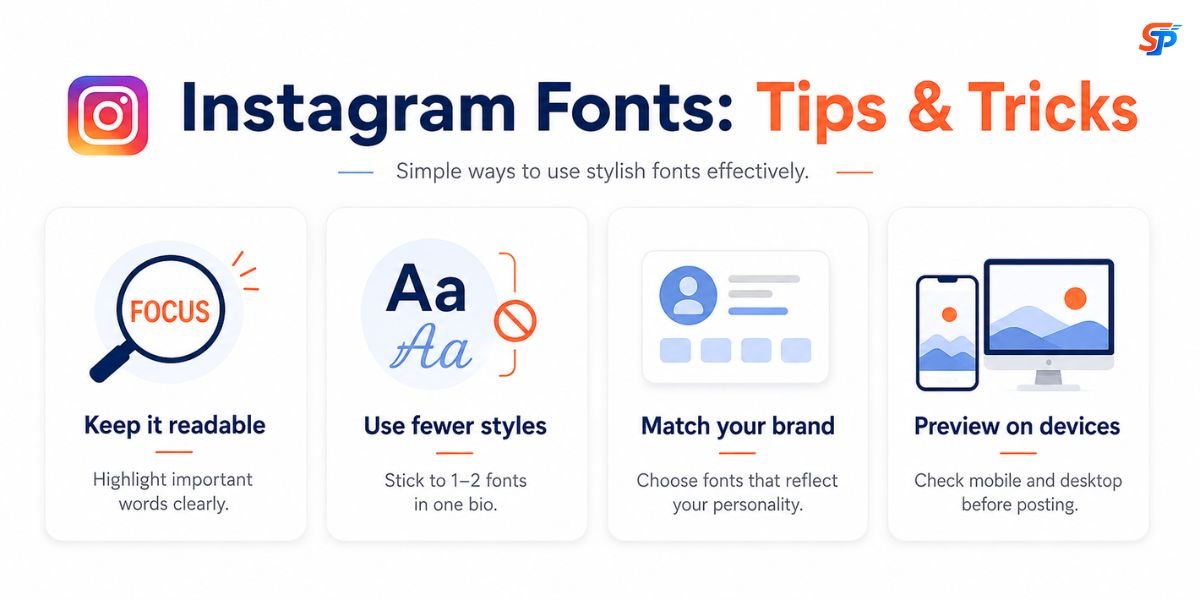
- Do not trade readability for style.
- Don’t mix too many font styles in one bio or caption.
- Pick a style that actually matches your brand’s tone.
- Preview your text before you post — some characters look different on different screens.
- Look at it on both mobile and desktop, since that’s how people will consume it.
- Avoid putting functional items such as a phone number, hashtag, or link in an image, as they are at risk of appearing improperly. You can also use our small text generator to create tiny text for Instagram bios, captions, and usernames.
A simple rule to follow: your font should support your message, not fight with it.
Instagram Fonts for Creators and Businesses
If you’re running a business page or building a personal brand, how your profile looks matters more than people usually admit. Visitors form an opinion within a few seconds, often before they’ve opened a single post, so a bit of visual polish in your bio or captions can make that first impression feel more intentional.
This is where font generators come in handy. You don’t need any design background—just pick a style and paste it in. People use them for things like:
- Dressing up a bio
- Calling out a new product or announcement
- Highlighting something in a Story
- Breaking up a long caption with a small heading
- Making an event or campaign post stand out a bit more in the feed.
A useful way to think about it: styled text is a branding tool, not a growth tool. A creator posting consistent, useful content will grow with or without stylish fonts. What fonts add is polish on top of that—they help a profile that’s already doing the work look a bit more considered. To be honest, a nicer font by itself won’t bring in new followers or boost your engagement. It makes your content feel a little more thought-out — like someone’s actually paying attention to how things look. That’s a small piece of a bigger content strategy, not a substitute for one.
Are Instagram Fonts Safe to Use?
SmallTextPro generates styled Unicode text without requiring you to install a font file, add a plugin, or connect your Instagram account. You type your text, copy the style you want, and paste it nothing is installed on your device, and nothing is shared with Instagram in the process.
The Unicode text itself is just text, so there’s nothing inherently risky about pasting it into your bio or captions. That said, it’s still a good habit to use a site you trust for any text or copy-paste tool. The biggest practical constraint is compatibility, not safety: Some more sophisticated Unicode characters might not render correctly on every device or app version, sometimes appearing as little boxes or blank spaces instead of the desired character. Keep your text short, especially important bits like links and contact data, so it displays well for everyone.
Conclusions
All in all, an Instagram font generator adds a touch of extra flair to your profile, whether it’s your bio, your captions, Stories, or even your display name. Plain text works fine, but sometimes you want your name or a caption to actually feel like you, and that’s where switching to something bold, cursive, or a little more stylish comes in.
The trick is not to overdo it. Use styled text where it actually helps something stand out, and keep the rest clean and easy to read — nobody wants to squint through a bio full of symbols. Whether you’re a creator trying to look a bit more polished, a small business owner wanting your posts to feel intentional, or just someone who wants their profile to look less plain, our Instagram Font Generator.
Frequently Asked Questions
Can I use custom fonts on Instagram?
Instagram does not support custom font files. Use Unicode-style text that looks like different fonts.
How do I change the font in my Instagram bio?
Type your text into the font generator, choose a style, copy it, and paste it into your Instagram bio. Username limits do not change.
Do Instagram fonts work in captions?
Yes. You can paste styled text into captions, but use it for short phrases so captions stay easy to read.
Can I use these fonts in Instagram Stories and Reels?
Yes. You can use styled text in Stories, Reels captions, bios, comments, and other places where Instagram allows pasted text.
Are Instagram fonts free to use?
Yes. You can generate, copy, and paste the styled text without installing a font or software.
Do I need to download any fonts?
No. These styles use Unicode characters, so you don't need to download or install anything.
Why do some Instagram fonts show as boxes?
Some Unicode characters may not be supported by every device or app version, so they can appear as blank spaces or boxes.